Quick step-by-step guide to installing the latest navigation update (v24.0.0-r0) on your infotainment system:v24.0.0.0-r0
24.0.0-r0? Latest is 21.0.0-r0
it is 21. I made a mistake in the title
MY DS7 is 2019, and there is no upade for him. Does anyone knows why? thx
what is your current map version?
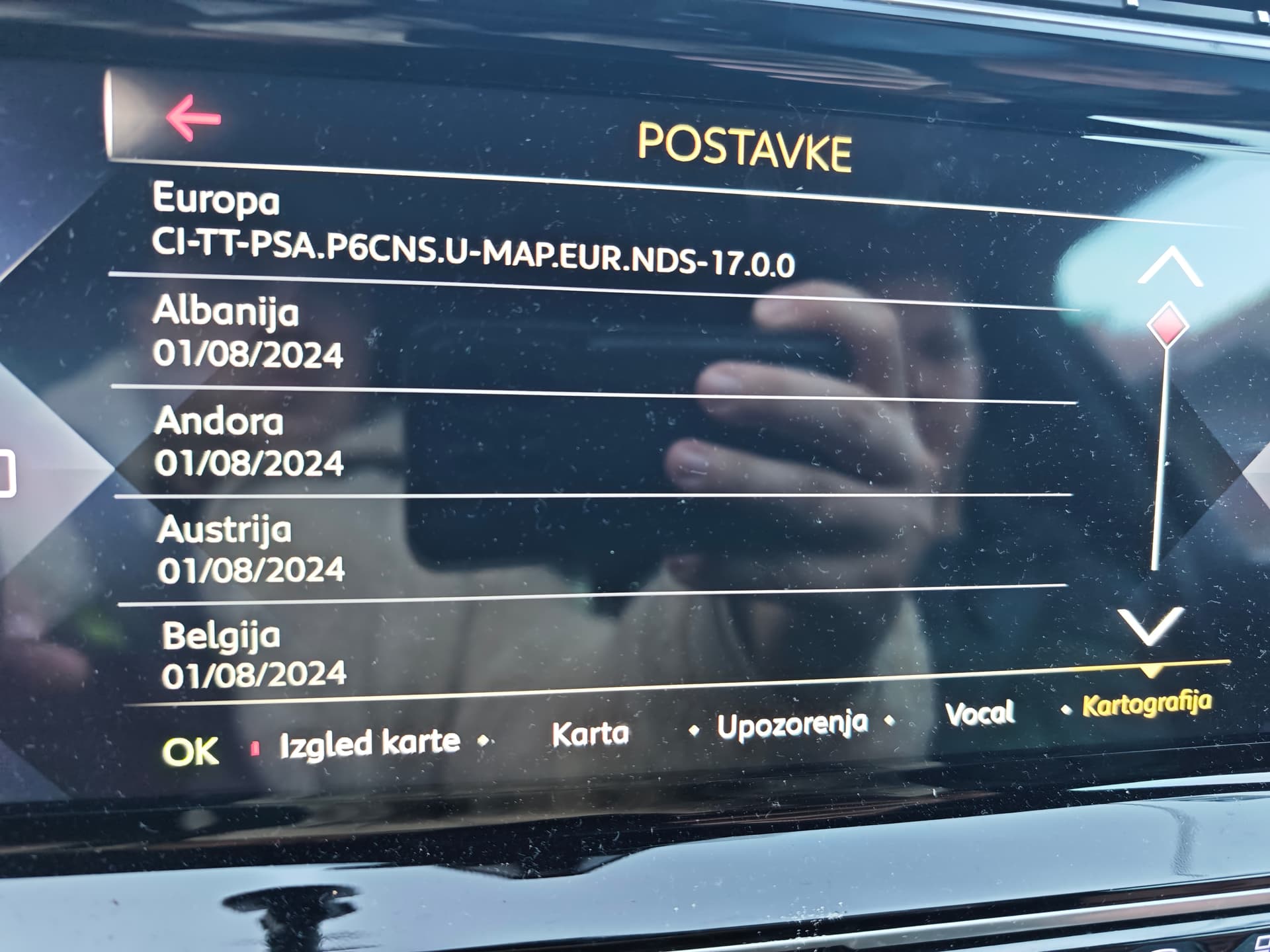
You might have an NAC Wave3 system; you need to update the software to Wave4 first, and only then update the maps. Check your NAC system version.
When I enter the VIN into the program, it says there are no map updates for my car. Maybe it’s because my car is in the Balkans (Bosnia and Herzegovina)?
Hi, I am in Bulgaria, but I registered my car in the DS app in UK. Try to change your location in the map and then dowload and isntall again DS Update from this link: https://www.dsautomobiles.co.uk/owners/my-ds/update-gps-map.html
I managed to install it. But again, some things are missing in Bosnia and Herzegovina even though they were completed two years ago. (Bad update)
Thank you
Hey, how did you managed to make map work?
Few days ago I did update of the software, it said there is no map update only software, and after I updated it maps are not working
It says first:
MAP INSTALLATION ERROR
Reinstallation is needed. Please connect to your account on www.ds.com to download map update and launch again installation
and after it shows:
Map not available.
Updating or mapping absent.
I used a VPN and managed to download only the 2026 maps. I did not download the software or perform any software updates.
As for the maps, I am not satisfied with them because they are missing roads and other changes that were completed more than two years ago, at least in my country, Bosnia and Herzegovina.
I logged it to VPN but it didn’t helped, when I open DS update app it lists only software update, not map
Change location of VPN.
Tried, no luck. I am also from Balkan. I will see if some electronics technician can fix it
The “Map not available” message after a software update usually means the map data itself was not reinstalled, rather than the download being unavailable. If the DS app only lists software, try getting the map package for your VIN/region directly from the DS navigation update page, put it on a properly formatted USB exactly as supplied, and run the map installation rather than the software update. A VPN can change which download the app offers, but it will not restore a missing map partition; if it still fails, dealer/DiagBox reinitialisation may be needed.
I just followed the steps and installation went without any errors. What is your current map version visible from the car display?
Maps version 21.0.0-r0-NAC_EUR_WAVE4 here: https://download-cde.tomtom.com/OEM/PSA/MAP/PSA_map-eur_21.0.0-r0-NAC_EUR_WAVE4.tar
1 Like
Thanks Andrew, I just tried it, copied it to USB in formatted usb drive (didn’t use the ds update app) and tried to run it in car but got “USB memroy stick cannot be read” message. It is either because of I didn’t use DS update app or because of versions my current version is “PSA_ovip-int-firmware-version_42-03-33-42_NAC-r0_NAC_EUR_WAVE3.tar”
so it it wave3 and this map is wave4 so maybe it can’t be done with this map version
Victor - I can’t use map at all currently so I can’t check it
Hannah - I tried to use VPN and change regions but it didn’t helped to show map update on the DS update app
If this is truly the WAVE3 version, then here are the maps v12.0 for you https://download-cde.tomtom.com/OEM/PSA/MAP/PSA_map-eur_12.0.0-r0-NAC_EUR_WAVE3.tar